Niimbot B1 Review: 12-Month Hardware & Software Guide
Who knows me, knows I have a weakness for small tools and testing such gadgets. The Niimbot B1 is exactly that kind of candidate. For around €25 to €35, you get hardware that feels incredibly solid in terms of haptics and mechanics. However, after a full year of intensive use, it’s clear that the real story of this printer lies in the tension between excellent mechanics and an aggressive software strategy.
The Hardware: A Massive Ray of Hope
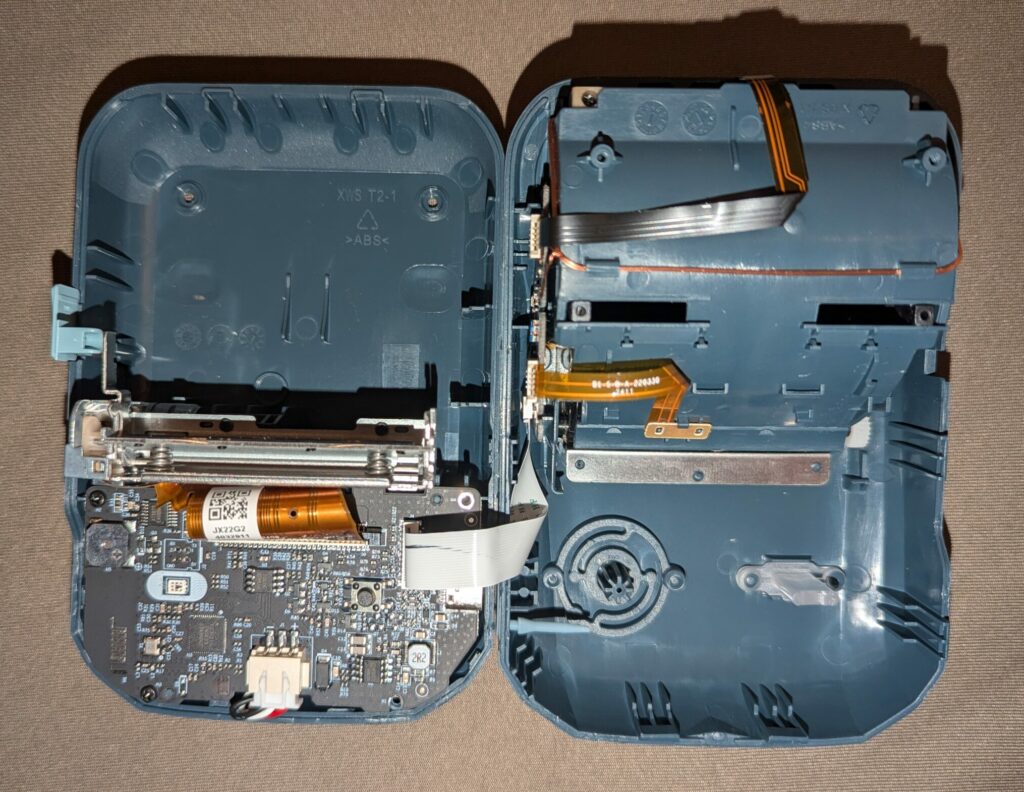
After 12 months of testing, the verdict is clear: the hardware delivers. The B1 is not a cheap injection-molded pile of plastic; it is stable, high-quality, and heavy in the hand.
- Standardization: Thanks to USB-C, it fits perfectly into modern setups. No more searching for outdated cables.
- Energy Management: The battery is phenomenal. Even after sitting in a drawer for a month, it is ready to go immediately.
- Mechanical Flexibility: The print engine handles widths from 20mm to 50mm reliably and precisely.
The Software: The Good, the Bad, and the Alternative
The official Niimbot app unfortunately feels like a typical “China app” of the sort sometimes seen with robot vacuums: it constantly tries to upsell you and feels cluttered with prompts for a VIP subscription (costing approx. €7/month).
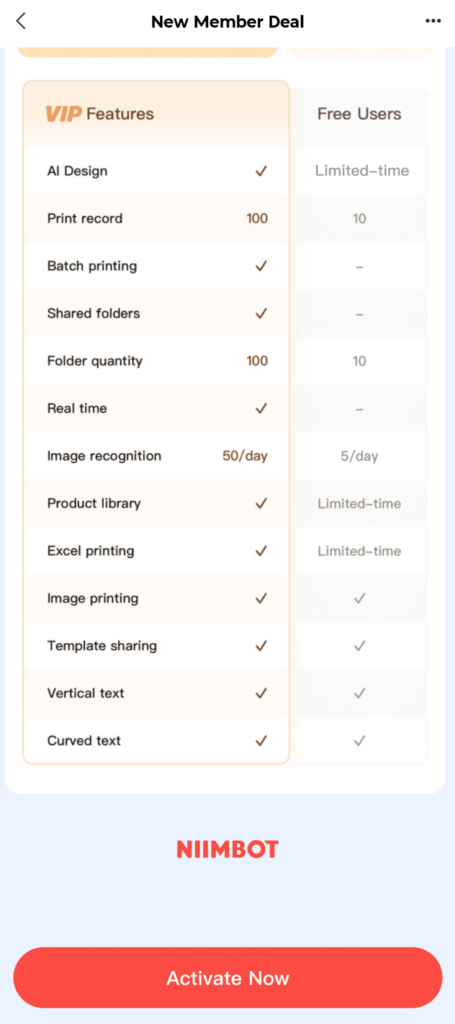
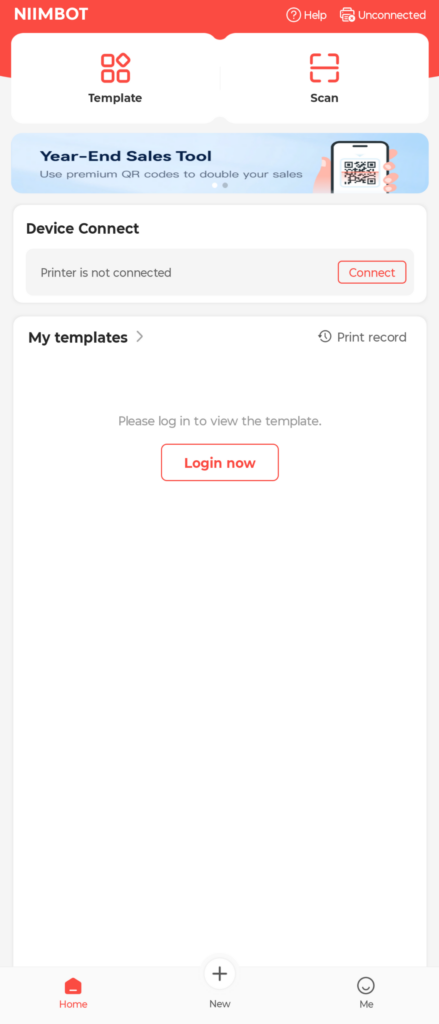
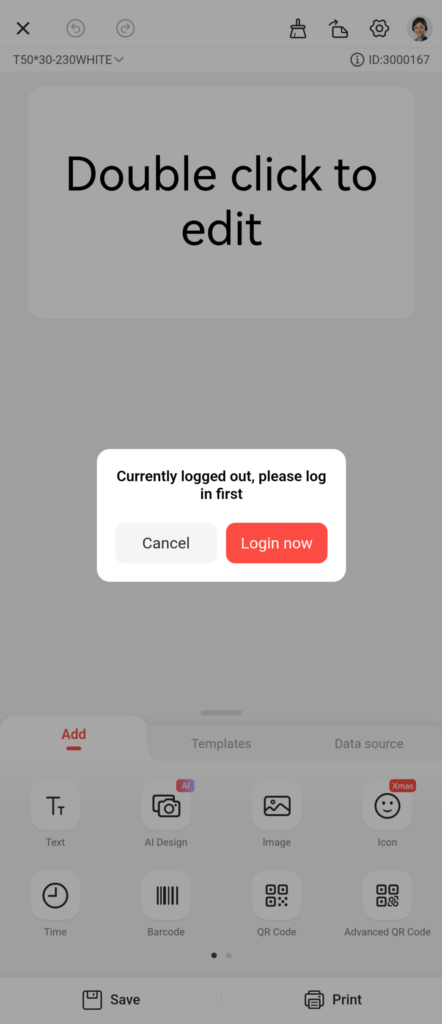
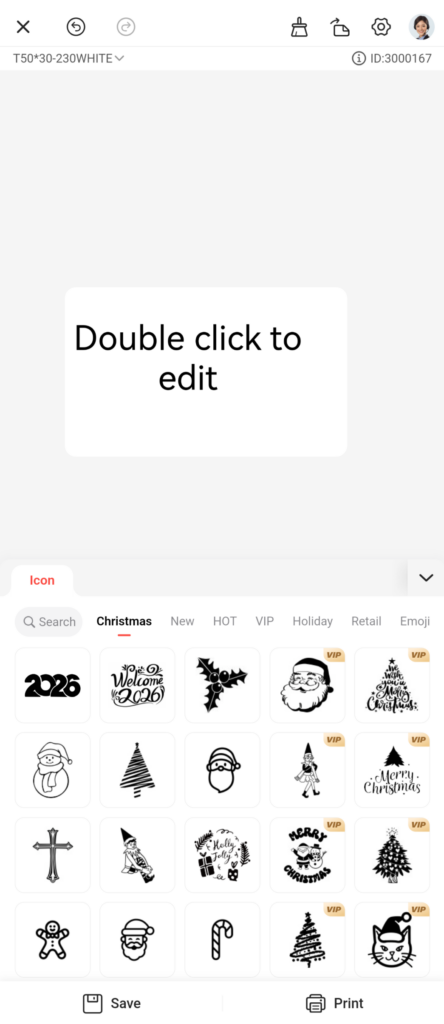
The good part first: You can actually use the app for many things without having to sign up for a subscription or even create an account. Who only needs a simple label occasionally, you can get by without the cloud mandate. However, the constant “background noise” of sales offers becomes annoying over time.
The Savior: A Two-Part Web Ecosystem
Nowadays, I don’t use the official app at all. My workflow now consists of two distinct parts, both leveraging the Web Bluetooth API:
- For Complex Tasks: There is a fantastic, feature-rich web-based solution: https://niim.blue/. This site was developed by MultiMote, who also published the excellent underlying library that makes this functionality possible.
- For My Standards: For my own standard labels, I built a standalone web-app that is also based on MultiMote’s excellent work: https://tools.orglikea.pro/niimbot-label. This makes the process incredibly streamlined. We even put a barcode on the back of the printer so anyone can scan it and instantly access the editor—no app or installation required.
Both tools offer the same advantages: no installation, no account, and no tracking. It is truly the standard for daily use on a PC or Mac.
Labels with RFID: “Evil be to him who evil thinks”
Let’s get to the most critical point: the consumables. Niimbot uses an RFID system to identify original rolls.
1. Unusable Instead of Just Throttled
You often read about “quality throttling” when using third-party labels. Based on my tests, I have to correct this: without a chip, the print image isn’t just worse—it is strictly unusable. The text is so faint and patchy that the labels cannot be used. However, as soon as you bring an official RFID label near the sensor, the B1 suddenly prints even the cheapest third-party paper in deep, crisp black.
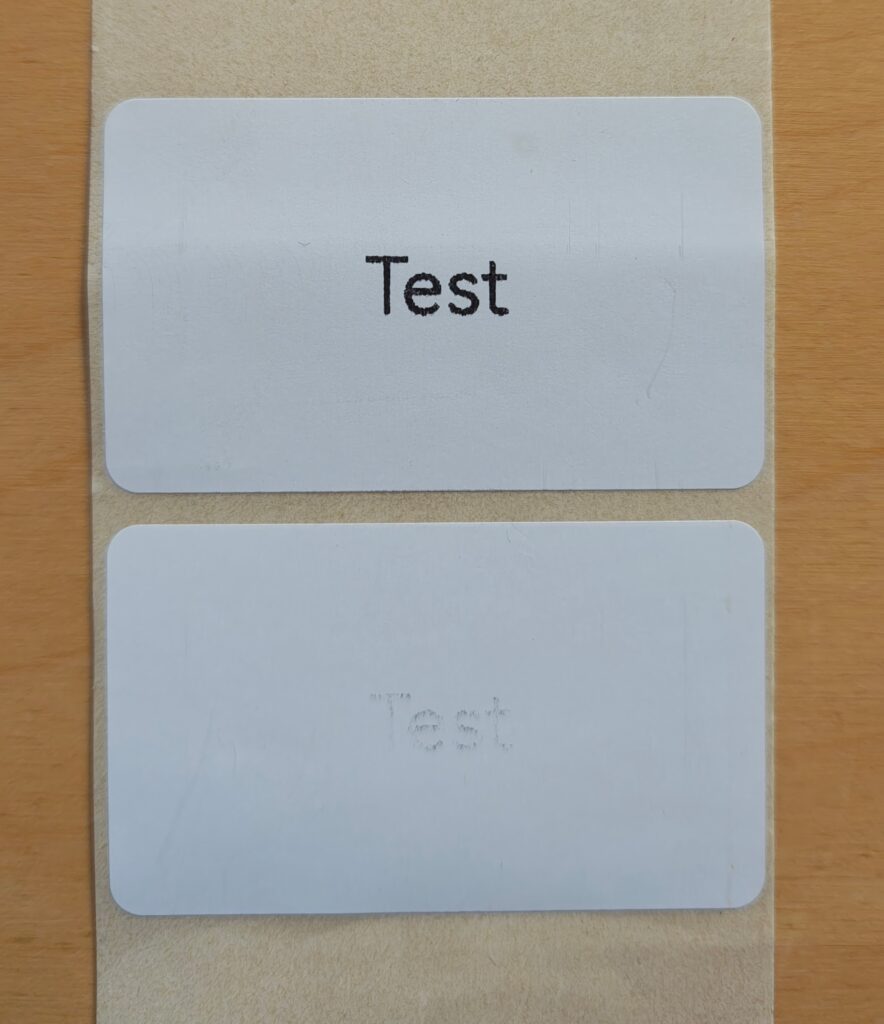
Left: Diretly prined labels of the same brand. Top with RFID label, bottom without.
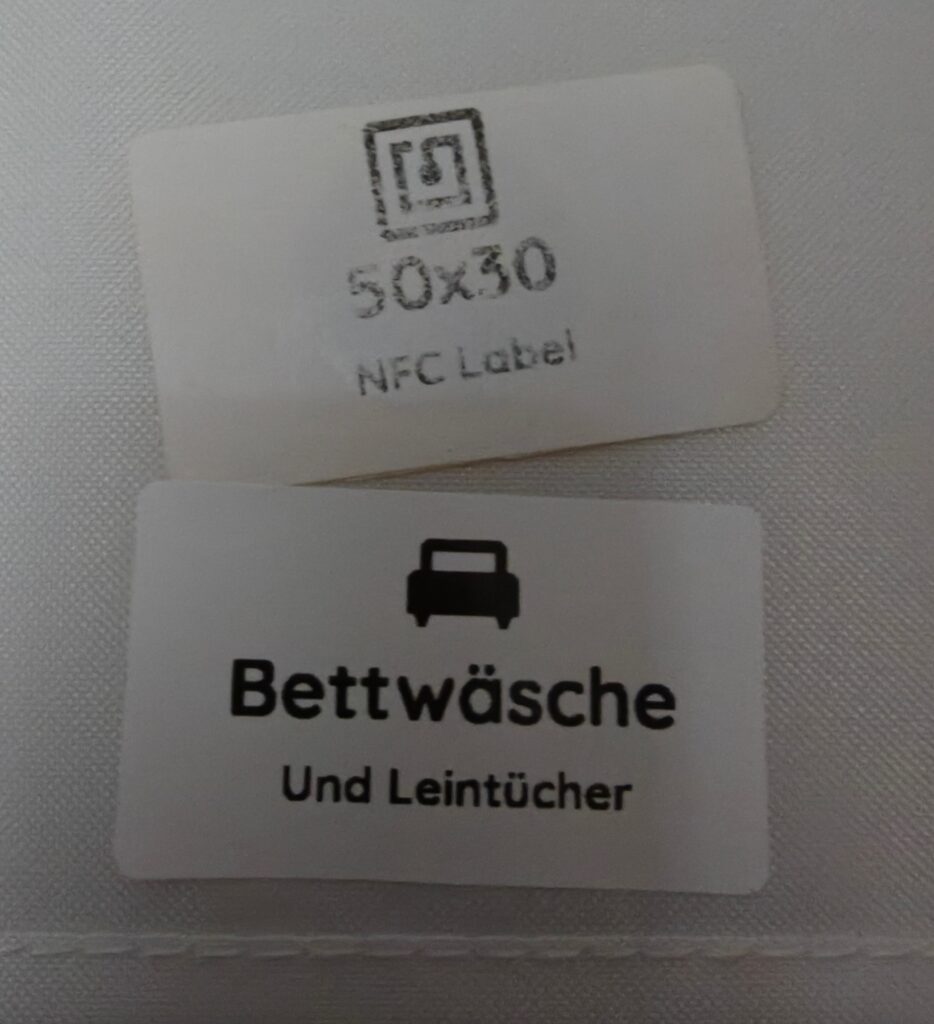
Right: One year old third labels. Top 3rd party, bottom niimbot.
A quick hint on material quality: While the RFID system is annoying, it’s worth noting that the quality of the original Niimbot labels is significantly better. In my long-term testing, cheap alternatives tended to blur or fade over time, whereas the originals remained sharp and stable. If you are labeling things for long-term storage, the original material is genuinely superior.
2. Obfuscation Instead of Simple Encoding
The labels aren’t just encoded with simple IDs. The data on the tags is encrypted and unfortunatly not easy to “replicate” (see niim.blue).
This raises the question: does this really serve the “user experience” or just the profit margin?
3. The Counter Mechanism
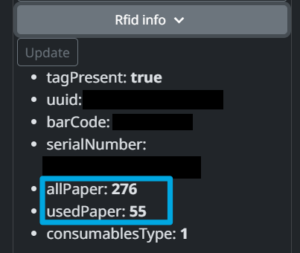
The RFID tag contains logic that communicates bidirectionally. The printer actively writes back to the chip how many labels have been used. There are a few workarounds, but unfortunately they are not really practical for everyday use.
This raises a critical question:
- What will happen once the limit is reached?
- Will the printer simply stop working, even if there is physically still paper left on the roll?
Conclusion After One Year
The Niimbot B1 remains a prime example of first-class hardware that is artificially restricted by software gatekeeping.
- Pro: Excellent mechanics, USB-C, great battery life.
- Con: RFID mandate makes third-party paper unusable; the official app is primarily a sales channel.
Thanks to tools like niim.blue, my own custom web-app, and the open-source work by MultiMote, the B1 can still be used professionally. If you are willing to embrace these tools, you get a device that is unbeatable in price—you just have to know how to unlock the digital shackles.